In-video learning
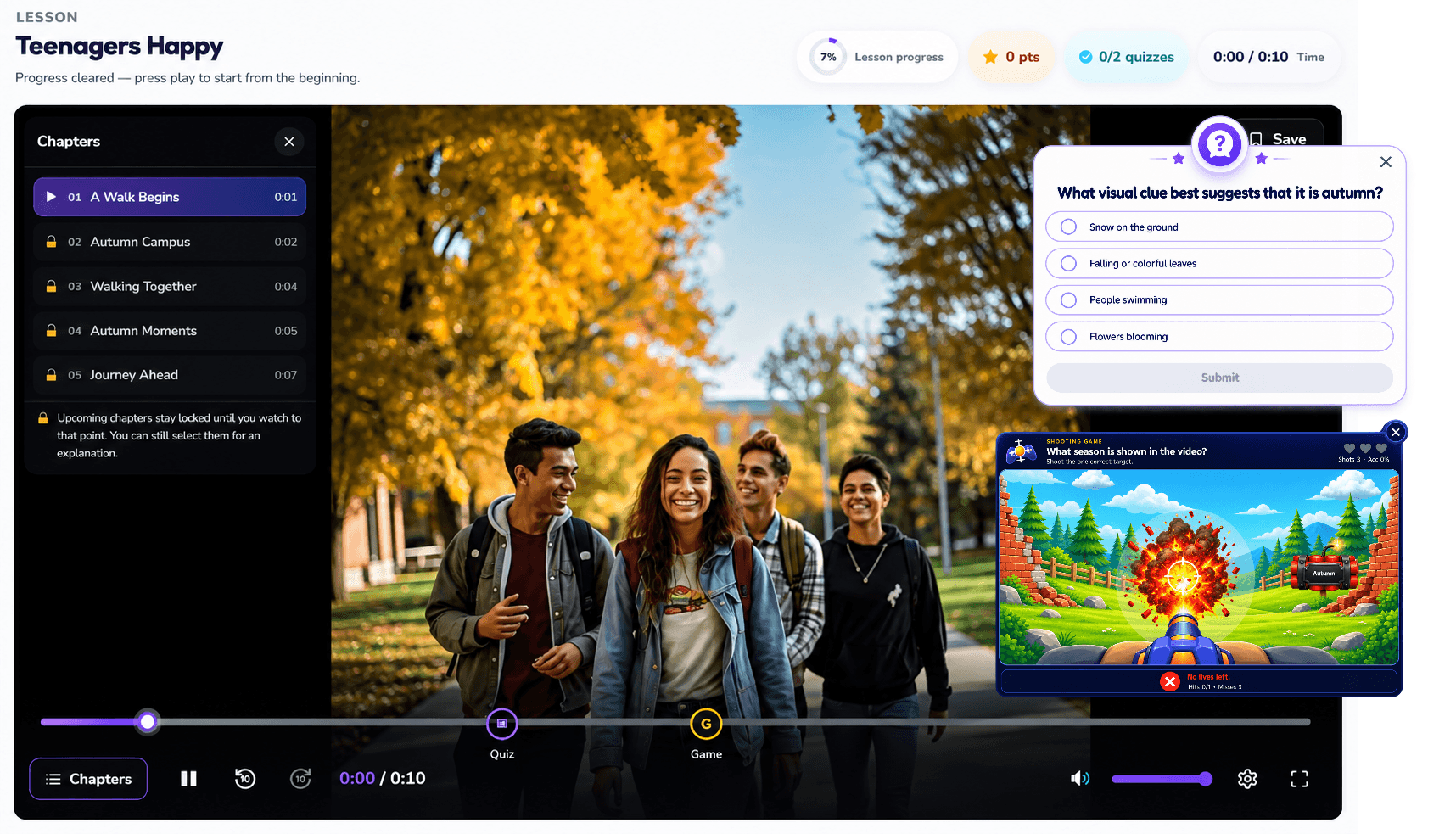
Bring questions, interactive checkpoints, chapters and viewing rules into a lesson.
Interactive Video Player
Add interactive video learning to your existing LMS without replacing it. Explore the supported Moodle launch workflow or a SCORM package approach, then validate the fit for your environment.
Find the right approach
Your existing LMS already organizes learners and courses, and you want a more active video-learning experience within the agreed integration workflow.
Before the next step
Review the supported Moodle integration and the SCORM 1.2 export approach separately. Test launch and records in the target LMS before selecting the workflow.
Exported SCORM uses standard quiz interfaces. The ClassImpact game interface is not retained in those exports.
Bring questions, interactive checkpoints, chapters and viewing rules into a lesson.
Explore the existing Moodle integration workflow; configuration and compatibility require testing.
Discuss exporting interactive video as a SCORM 1.2 package for a compatible LMS.
Agree completion, score and reporting behavior for the selected integration approach.
Your existing LMS
Interactive ClassImpact lesson
Agreed progress and score workflow
Conceptual flow — subject to requirements review.
Exported SCORM packages use standard quiz interfaces. ClassImpact game modes do not retain the same game interface in exported SCORM. API scope and grade passback must be agreed and tested.
Start with your existing LMS
Review Moodle launch, SCORM export, completion tracking, analytics and API requirements as separate compatibility questions.
Talk through your learning goals, content and deployment needs.