
Loading…
Interactive Video Learning
Bring questions, chapters and controlled viewing into a video lesson. Review progress and use the resulting learning records to guide follow-up.
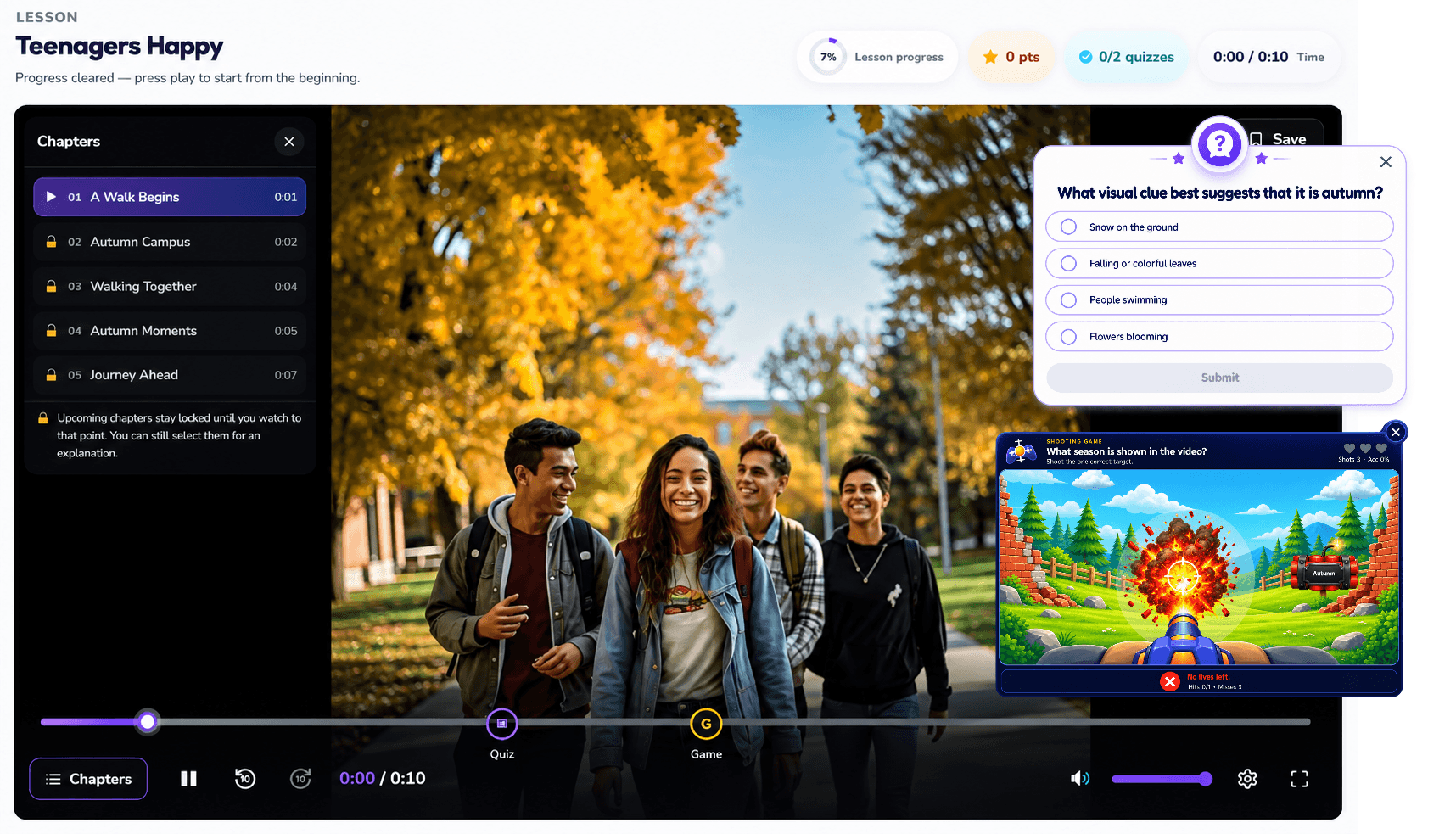
Introduce a realistic situation.
Ask a question at the decision point.
Explain the answer before continuing.
Example presentation · not a live learner record.
Put the capability to work
Select a point where the question supports the learning objective.
Explain why the approved answer follows from the material.
Review viewing rules and the content requirements used to record completion.
Watched progress, question responses and completion describe different aspects of participation. Review them together before deciding on follow-up.
In-video quizzes
Place questions at selected moments in a video lesson.
Interactive checkpoints
Use interaction points to prompt an answer before continuing.
Chapters
Organize a video into named sections that support navigation and progression.
Controlled playback
Configure viewing rules to guide learners through required content.
Seekbar restrictions
Restrict seeking beyond watched content when the lesson setting requires it.
Completion tracking
Review lesson completion using the configured content requirements.
Video engagement tracking
Review watched progress and completion; agree any additional engagement measures.
"Discuss scope" identifies topics that need confirmation. Configuration and deployment fit are agreed per project. Source evidence is not a release or compatibility guarantee.
Prepare your video
Add chapters and interaction points
Set viewing and completion rules
Review learner progress
Talk through your learning goals, content and deployment needs.